 Complete VR Studio
Home › Guides › 2D games in 3D
How to make 2D games look 3D on XR glasses
Most XR glasses can show true stereoscopic 3D when they receive a side-by-side (SBS) image. The catch is that almost all PC games output a flat 2D picture. This guide covers the general ways to get depth from games, and then how the 2D-to-3D depth effect in Complete VR Studio works.
Option 1: Games and players with native SBS output
Some games, emulators and video players can output side-by-side 3D directly. If yours does, switch the glasses into SBS mode (often by holding a button or using the glasses' menu) and set the game's output to full-width SBS. This gives the most accurate depth because the game renders two real camera views.
Option 2: 3D mods and stereo drivers
Community 3D mods and stereo injection tools exist for some titles. They can look excellent but vary a lot per game, may need specific GPUs, and can conflict with anti-cheat. Check the game's community before installing anything.
Option 3: A whole-screen depth effect
For everything else, a depth effect applied to the entire screen gives a sense of 3D without per-game setup. It isn't the same as true stereo rendering, but it works with any game or app.
Tips before you start
- Make sure your PC can drive the glasses at their SBS resolution (commonly 3840×1080).
- Expect a lower frame rate in SBS than in 2D, because twice the pixels are sent.
- Align your eyes first. Depth effects feel uncomfortable if the two images are already misaligned. See the misalignment guide.
How Complete VR Studio helps
Complete VR Studio includes a 2D-to-3D depth effect. It slightly enlarges or warps one eye's image, or tilts the lead eye, so your brain merges the two views into layered depth. Because it works on the whole picture, it applies to any game, video or desktop app without mods.
- Use it together with the app's SBS mode. Learn more in our side-by-side 3D guide.
- Start with a subtle setting and increase slowly. A stronger effect isn't always more comfortable.
- On the developer's PC, performance was about 120 FPS in 2D at 1080p/120 Hz and about 60 FPS in SBS at 3840×1080. Your results depend on your hardware.
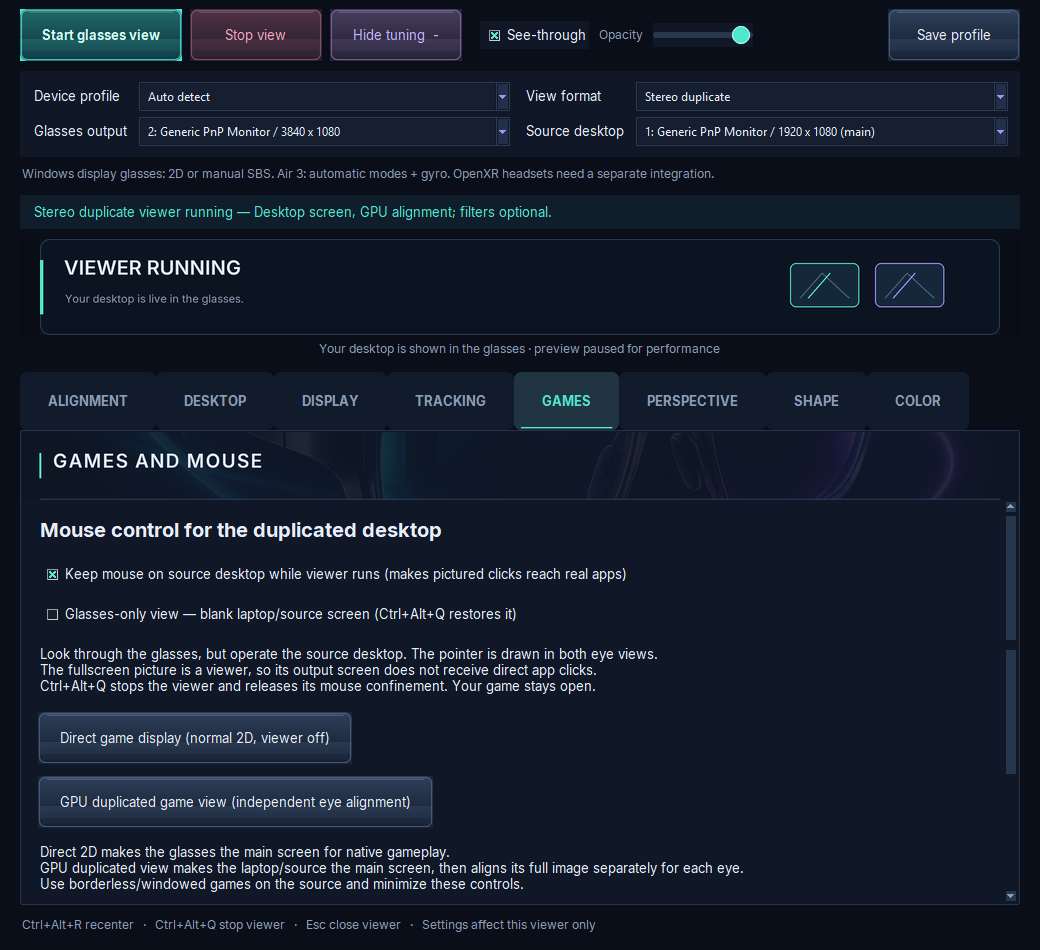
RayNeo Air 3 is fully tested. XREAL/Nreal, VITURE and Rokid profiles are manual and not validated yet, and Quest/OpenXR support is experimental.
Trial, price and how to get it
Complete VR Studio is a Windows 10 (version 19041 or newer) and Windows 11 x64 app, currently at version 1.0.0-preview.10. Premium features are included in a 7-day trial from install, and basic viewing keeps working until day 90. Activation costs about $5 in Bitcoin during the trial, or about $25 after it, paid in Bitcoin only. It's built security-first. See trial & pricing and compatibility for details.
FAQ
Can I play 2D games in 3D on AR glasses?
Yes, either with games that output side-by-side 3D, with game-specific 3D mods, or with a whole-screen depth effect like the one in Complete VR Studio.
How does the Complete VR Studio depth effect work?
It slightly enlarges or warps one eye's image, or tilts the lead eye, so the brain merges the two views into layered depth.
Is it the same as native 3D?
No. Native stereo rendering is more accurate. A whole-screen effect trades accuracy for working with any game.