👁 Independent per-eye adjustment
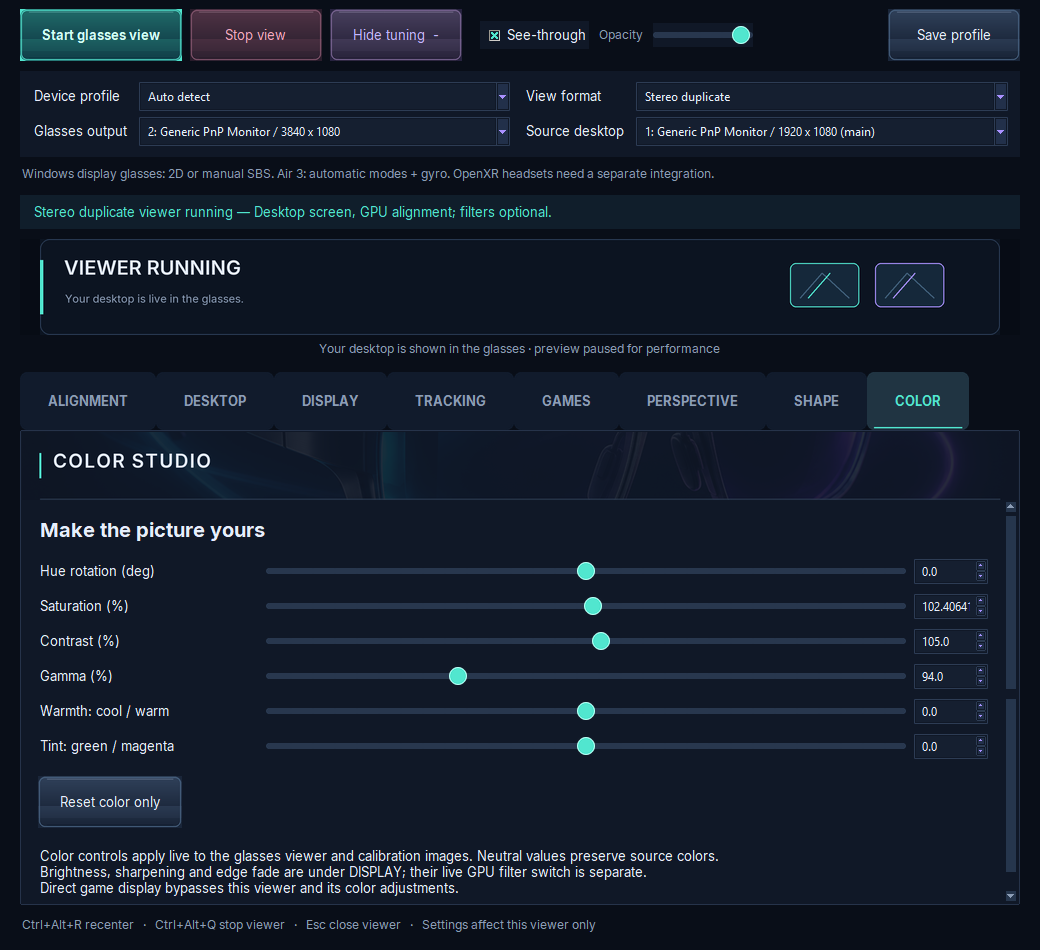
Tune the left and right eye separately:
- Focus / blur
- Hue
- Saturation
- Contrast
- Gamma
- Warmth
- Tint
- Size
- Stretch / curvature
- Pitch
- Yaw
- Roll
 Complete VR Studio
XR glasses settings app for Windows PC v1.0.0-preview.10 · preview
Complete VR Studio gives each eye its own focus, color, geometry and alignment. Mirror your games to XR glasses with GPU duplication, play SBS 3D, and turn flat 2D into depth 3D.
Fully tested on RayNeo Air 3. XREAL/Nreal, VITURE and Rokid have manual profiles that haven't been tested on real hardware yet, and Meta Quest support is experimental. See compatibility.
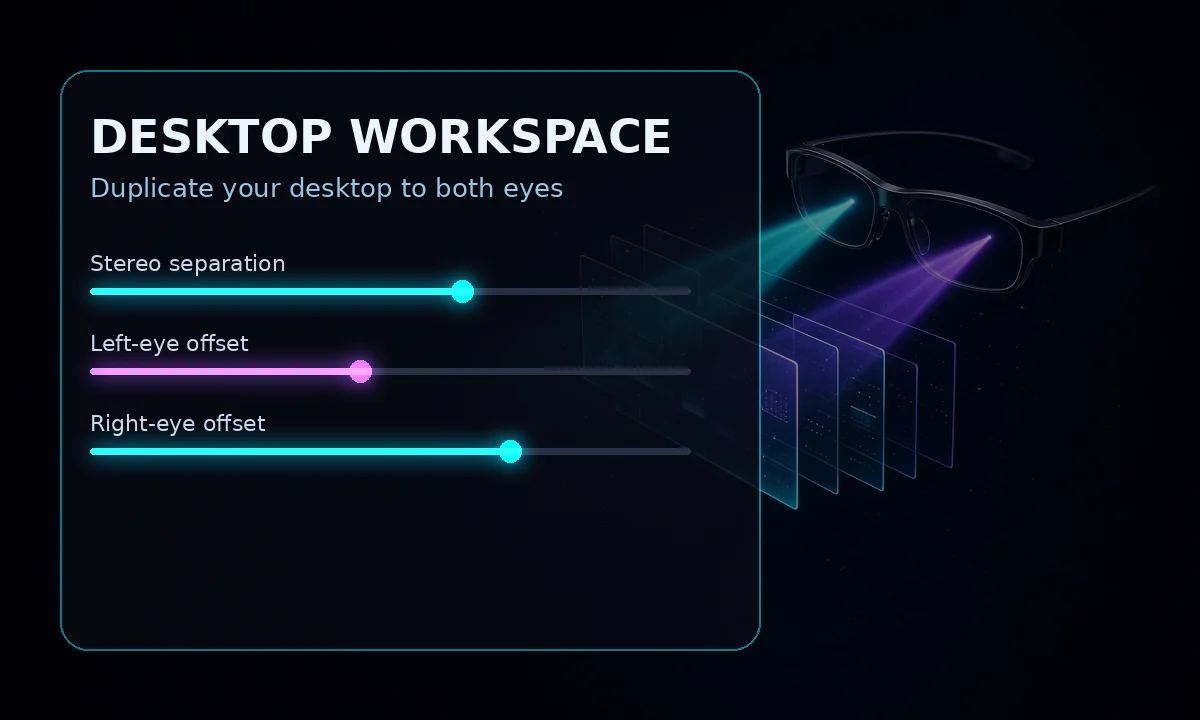
Desktop workspace · one image per eye, aligned independently
Per-eye calibration, AR glasses color settings on PC, shape and alignment controls, and SBS 3D, all in one Windows app.
Tune the left and right eye separately:
Duplicate your game view on the GPU and align each eye independently.
Calibrate both eyes together so the stereo image lines up comfortably.
Set how transparent the window is so you can blend it with what's behind it.
AR glasses color settings on your PC: hue, saturation, contrast, gamma, warmth and tint in one place.
Turn flat content into depth by enlarging and tilting the lead eye to make the image pop out or sink deep.
Gyro workspace controls on supported glasses (tested on RayNeo Air 3).
Built security-first, and getting stronger with each update. Payment checks read only a public Bitcoin address and never ask for wallet seeds.
Sharpening and edge fade controls, plus per-eye alignment and stretch, help with blurry edges and clarity. Read the RayNeo guide.
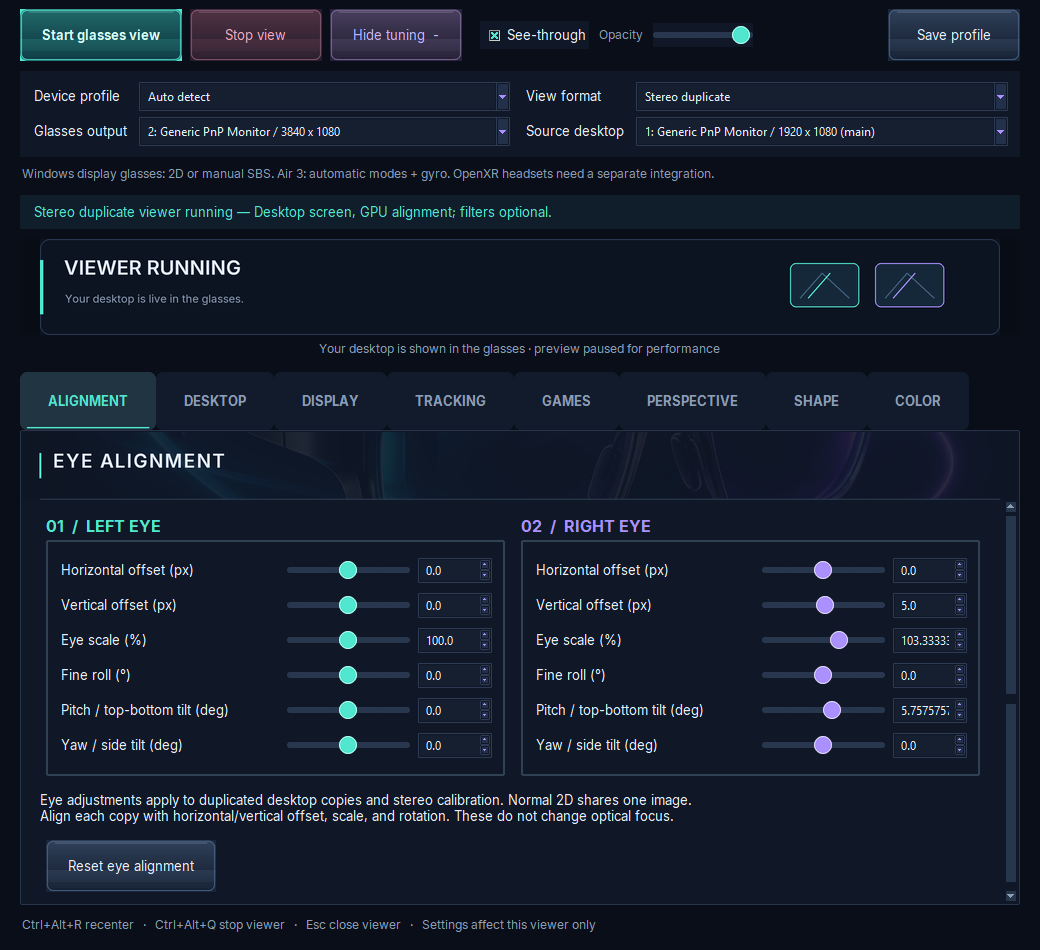
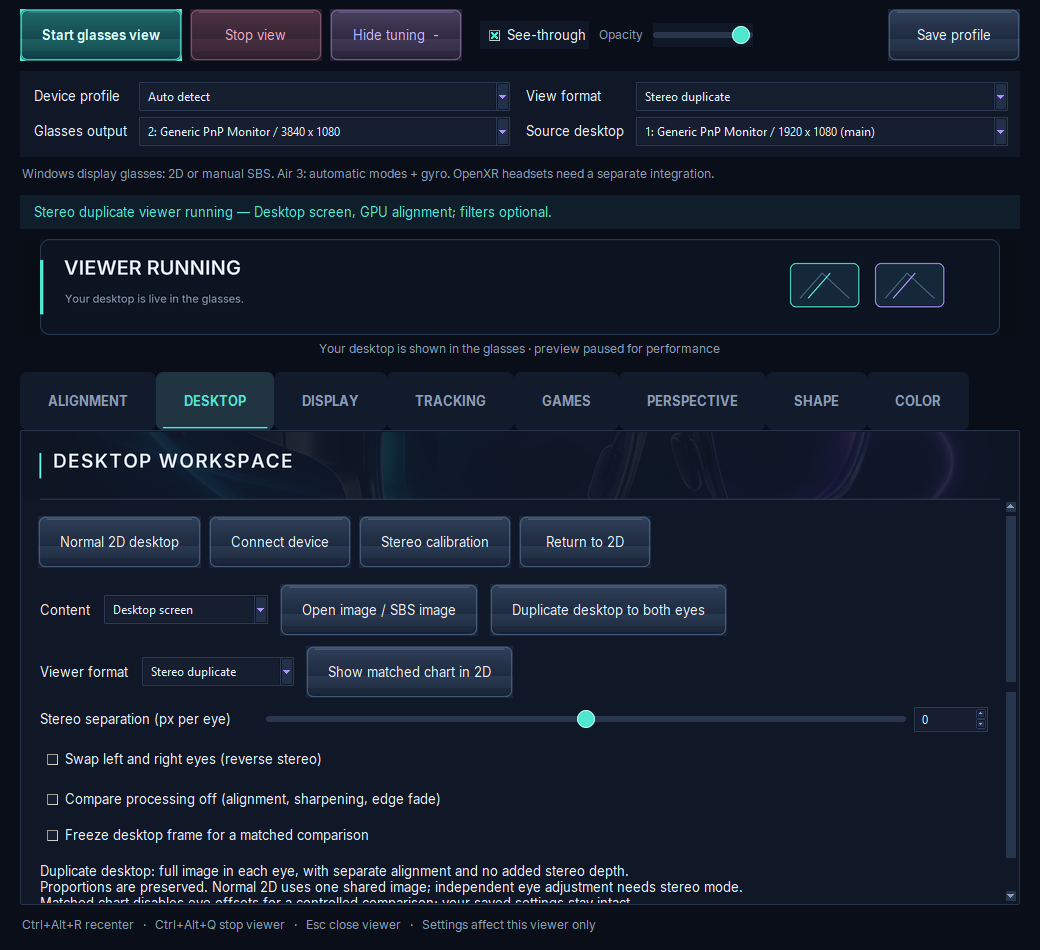
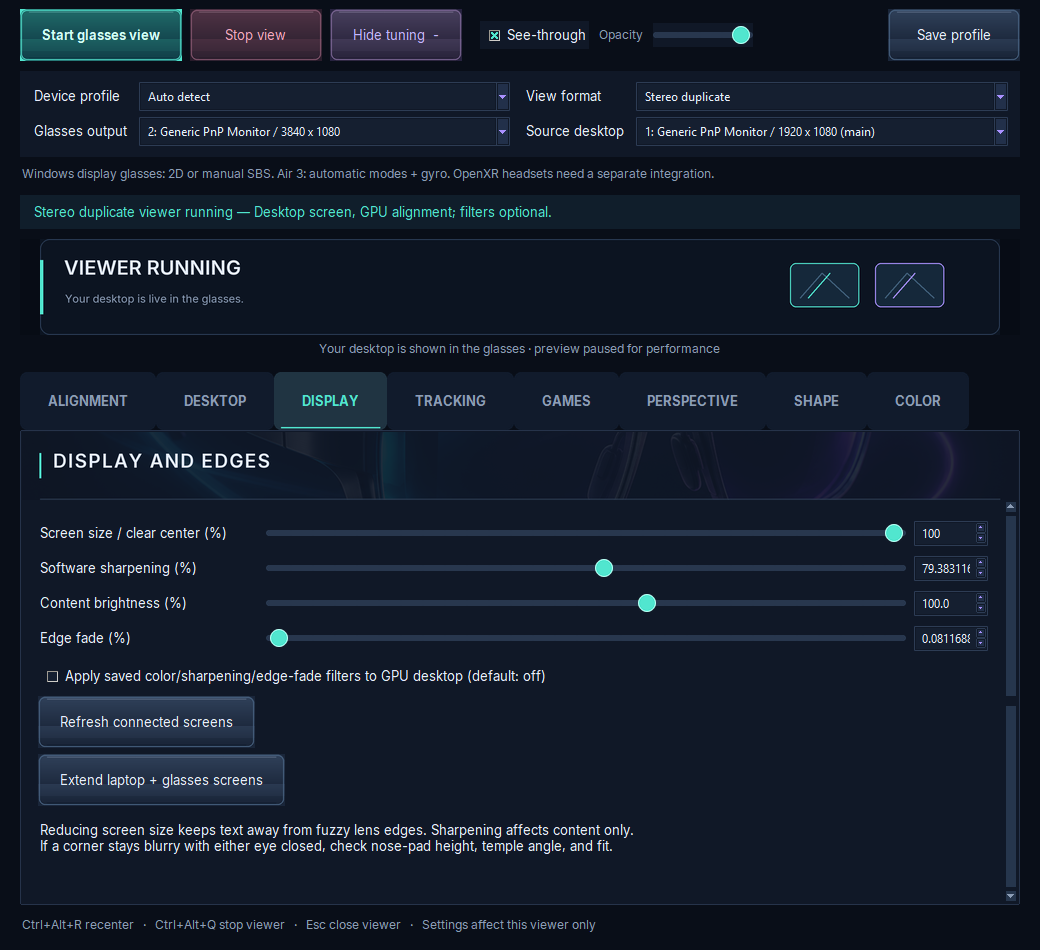
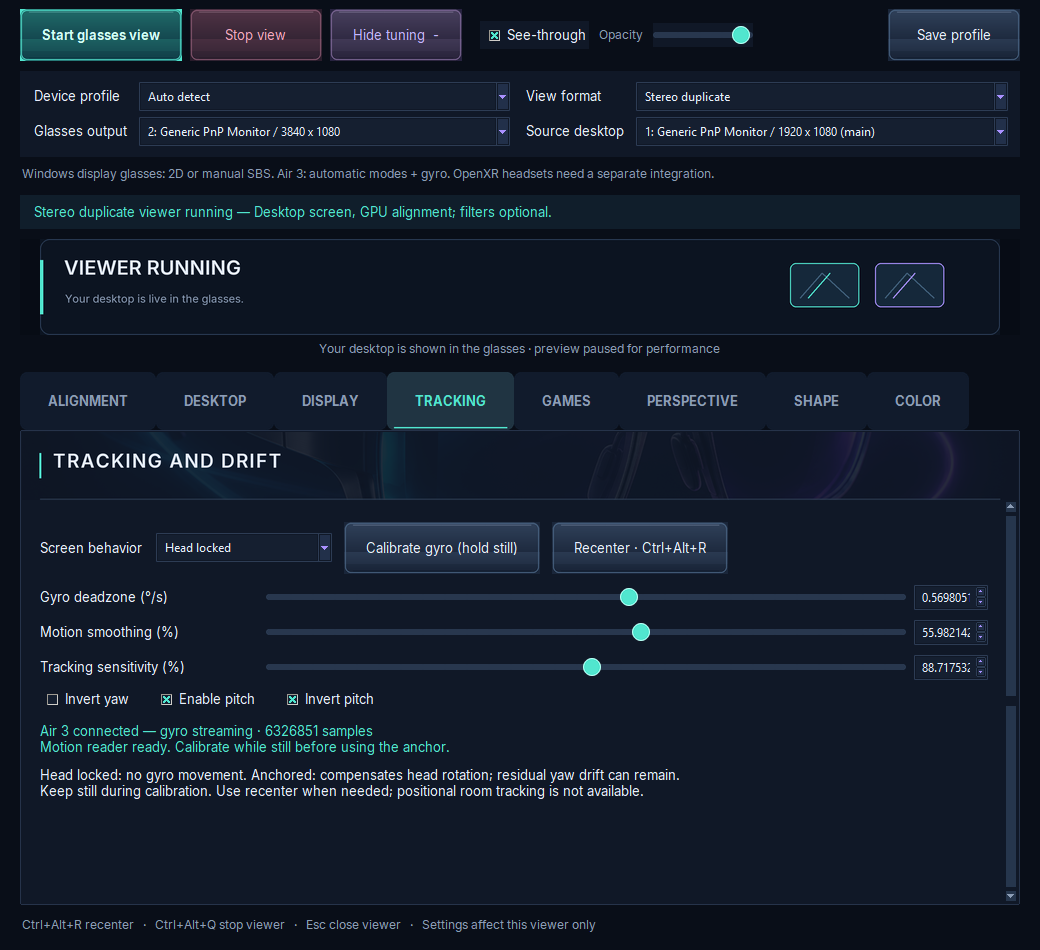
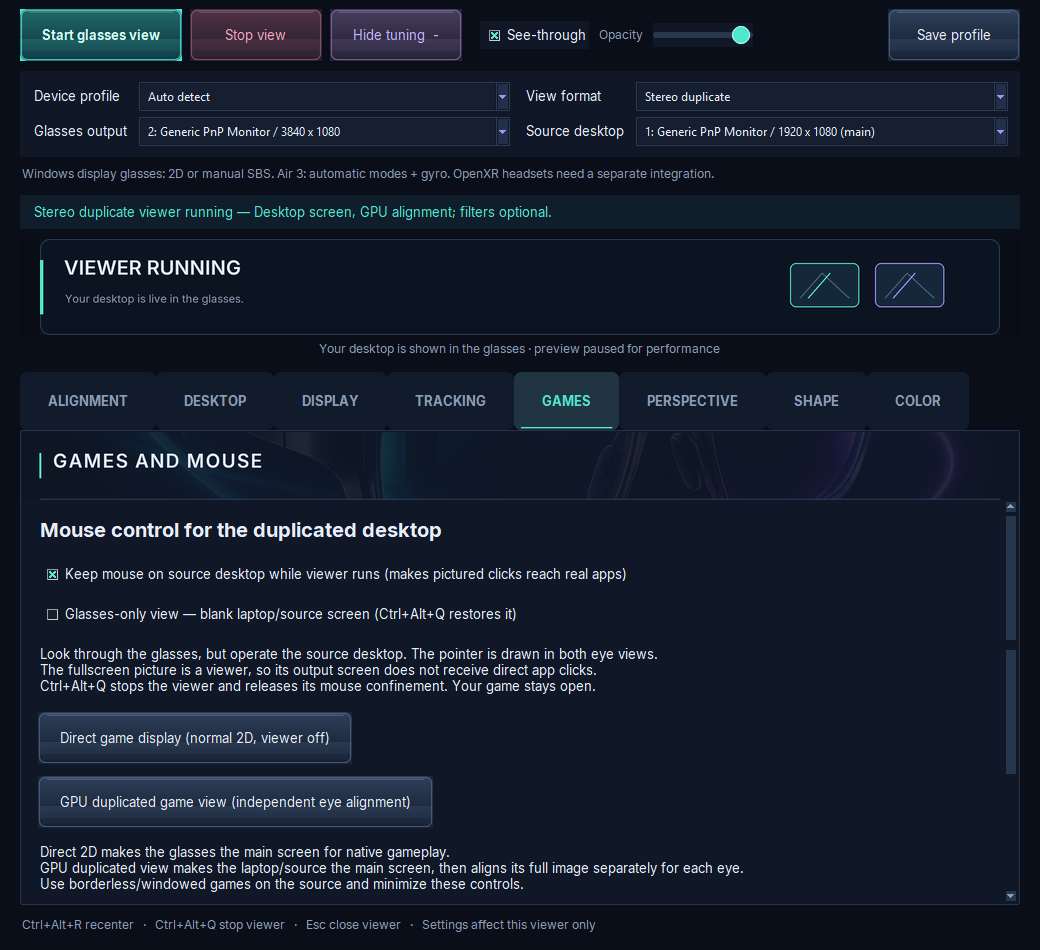
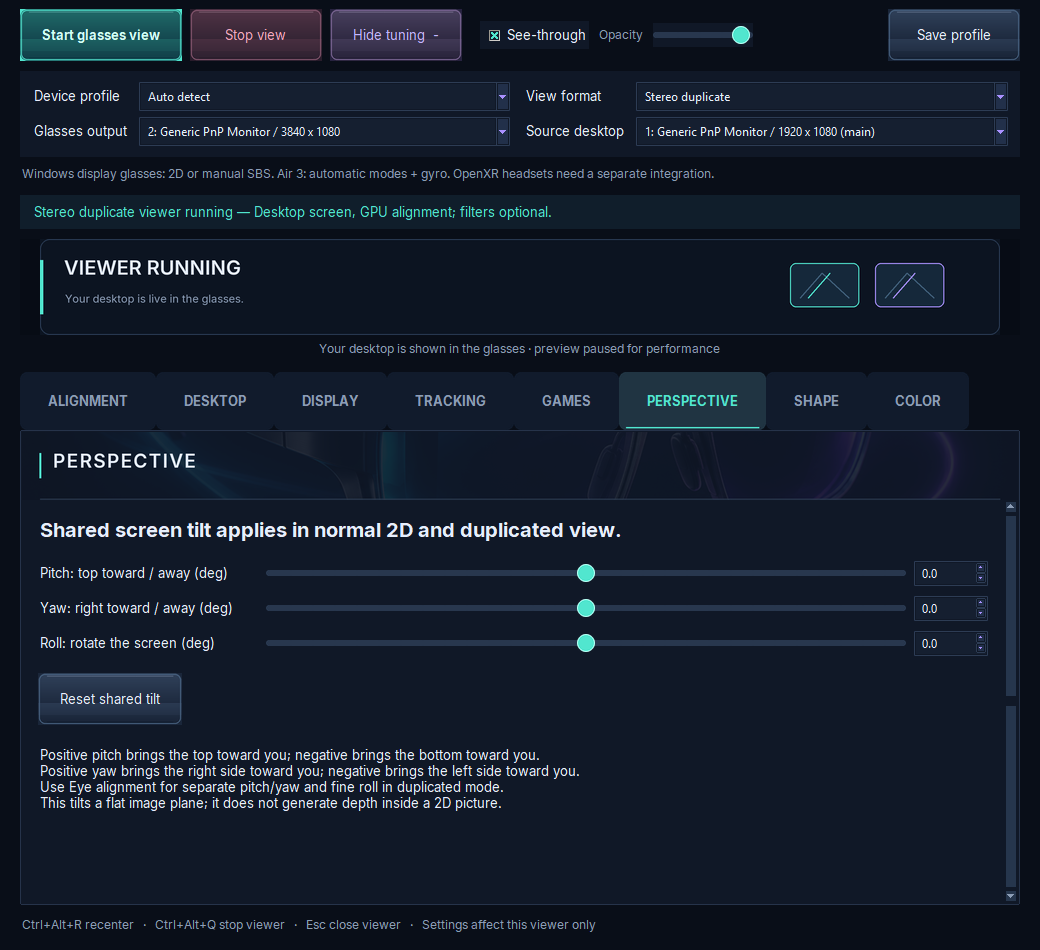
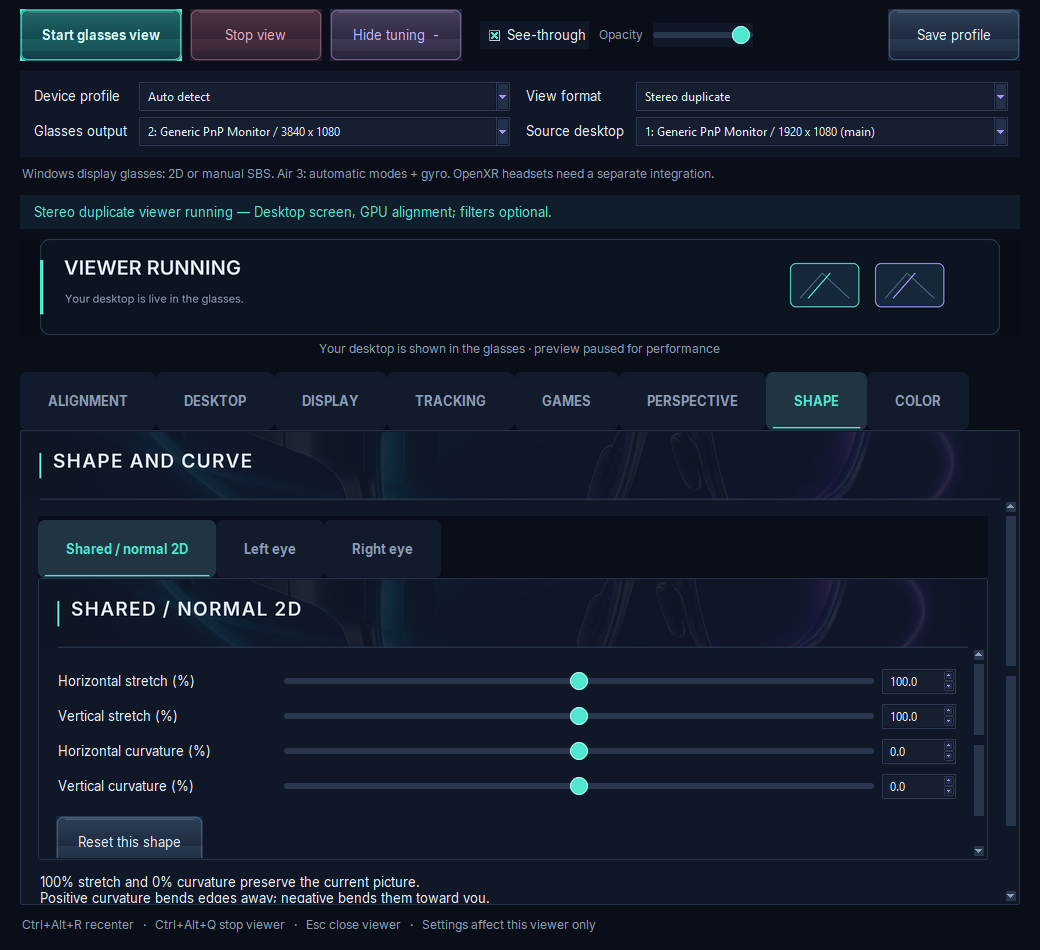
Each loop shows a common XR-glasses problem, then the setting being dialed in until the picture is clean.
There's no subscription and no automatic charge. You pay once, and paid activation never expires.
Premium features start at install: perspective/tilt, per-eye and shared stretch/curvature, color controls, and gyro workspace controls on supported glasses.
Basic desktop viewing and eye alignment keep working until day 90.
If the copy is still unpaid, viewing locks and the app offers activation or uninstall.
Paid activation never expires.
If you activate during the 7-day trial.
If you activate after the trial.
Bitcoin network fees are extra.
Pick your glasses:
RayNeo Air 3 Fully tested
Every feature is tested on this model, including gyro workspace and automatic mode switching.
XREAL Manual profile
A manual profile is included but hasn't been validated on real hardware yet.
VITURE Manual profile
A manual profile is included but hasn't been validated on real hardware yet.
Rokid Manual profile
A manual profile is included but hasn't been validated on real hardware yet.
Quest Experimental
Experimental: a headset, not display glasses. Expect rough edges.
Drawings are generic illustrations, not product images.
Requires Windows 10 (build 19041 or later) or Windows 11, on x64. Not every pair of glasses is supported. XREAL, VITURE and Rokid display settings are available through manual profiles.
| Device | Status | What works |
|---|---|---|
| RayNeo Air 3 | Fully tested | Native mode switching, independent eye tuning, gyro |
| XREAL / Nreal | Not validated | Manual display profile via the generic extended-display route. Not yet tested on real hardware. |
| VITURE | Not validated | Manual display profile via the generic extended-display route. Not yet tested on real hardware. |
| Rokid | Not validated | Manual display profile via the generic extended-display route. Not yet tested on real hardware. |
| Meta Quest / OpenXR | Experimental | Floating tracked screen, Touch controllers as the desktop mouse. Hardware testing pending. |
Measured on the developer's PC: about 120 FPS in normal 2D at 1080p/120 Hz, and about 60 FPS in full SBS at 3840×1080/60 Hz. Results on your hardware may differ.
Practical how-tos for getting a sharper, more comfortable picture.
RayNeo Air 3 is fully tested, including native mode switching, independent eye tuning and gyro. XREAL/Nreal, VITURE and Rokid have manual display profiles that use the generic extended-display route, but they haven't been tested on real hardware yet. Meta Quest / OpenXR is experimental, and hardware testing is pending. See the compatibility table.
Windows 10 (build 19041 or later) or Windows 11, on x64.
On the developer's PC it measured about 120 FPS in normal 2D at 1080p/120 Hz, and about 60 FPS in full SBS at 3840×1080/60 Hz. Your results depend on your hardware.
No. The current version is 1.0.0-preview.10, which is preview software.
Premium features run for 7 days from install. After that, premium locks, but basic desktop viewing and eye alignment keep working until day 90. At day 90 an unpaid copy locks viewing and offers activation or uninstall.
About $5 worth of Bitcoin if you activate during the 7-day trial, or about $25 after it. Network fees are extra. There's no automatic charge, and paid activation never expires.
With Bitcoin on mainnet only. The seller issues an exact, signed BTC price for your request. The app then checks the payment on the blockchain itself, so you don't type an activation code. This check needs internet.
No.
It's built security-first and gets stronger with each update. Payment checks read only a public Bitcoin address and never ask for wallet seeds.
Fill in the request form below. Jacob will email you a personal installer download link.
Each installer is personal, so it's sent by email.
Jacob will email you a personal download link for your installer soon.